1. Install
Install the postkitty plugin for me: run `hermes plugins install mertkayacs/postkitty --yes-deps --enable` in the terminal. When it finishes, tell me to open a new chat so its tools load.
 postkitty
A Hermes Agent plugin for your text, photos and video. It fixes and rewrites your draft for each platform, keeps every face in frame, and checks every file before you post.

hermes plugins install mertkayacs/postkitty --yes-deps --enableVideo needs ffmpeg and ffprobe on your PATH.
Two messages. The first installs the plugin. The second goes in a new chat, because Hermes loads a plugin's tools when the next chat starts.
Install the postkitty plugin for me: run `hermes plugins install mertkayacs/postkitty --yes-deps --enable` in the terminal. When it finishes, tell me to open a new chat so its tools load.
Use postkitty to turn this into posts for X, LinkedIn and Instagram and fix my wording: [your draft, or the path to a photo or video]
Each card is one message to Hermes. Replace the brackets with your own files and words. postkitty never posts or schedules anything; you upload the finished files yourself.
Use postkitty to fix this draft and write it for LinkedIn, Threads and Bluesky: [your draft]
Turn this into a thread on X with postkitty and keep my tone: [your long post]
Crop [path to the photo] for Instagram and Bluesky with postkitty. Nobody gets cut off.
Make [path to the video] into vertical clips for TikTok, Reels and Shorts with postkitty.
Two people talk in [path to the video]. Split the screen for Reels, cut to whoever is talking for TikTok, and keep the whole wide shot for Shorts.
Trim the Reel to the first 45 seconds and use the frame at 0:12 as the cover.
Will [path to the file] upload to TikTok as it is? Check it with postkitty.
Make the LinkedIn post shorter and more formal, use other hashtags, and put the person on the left in focus in the Instagram photo.
Paste a rough draft. postkitty fixes the spelling, grammar and punctuation, smooths out clumsy sentences, keeps your voice, and writes a version for each platform that fits its limit. Everything here comes from one real run.
new episode of two builders is out!! maya and sam talks about how we shiped our app in one weekend, what we cut what broke at 2am and why the launch posts took longer then the code lol. its honestly the most usefull episode we did so far for anyone building on there own
Underlined: what postkitty fixed
New episode of Two Builders is out. Maya and Sam talk about how we shipped our app in one weekend: what we cut, what broke at 2am, and why the launch posts took longer than the code. Our most useful episode so far if you're building on your own.
245 of 280 weighted characters
New episode of Two Builders is out. Maya and Sam talk about how we shipped our app in one weekend: what we cut, what broke at 2am, and why the launch posts took longer than the code. It's honestly the most useful episode we've done so far, especially if you're building on your own. #BuildInPublic #Startups #Podcast
319 of 3,000 characters
New episode of Two Builders is out! Maya and Sam talk about how we shipped our app in one weekend: what we cut, what broke at 2am, and why the launch posts took longer than the code (lol). Honestly the most useful episode we've done so far if you're building on your own.
271 of 500 characters
New Two Builders episode is out. Maya and Sam on shipping our app in one weekend: what we cut, what broke at 2am, and why the launch posts took longer than the code. Our most useful one yet if you're building on your own.
221 of 300 graphemes
Make the LinkedIn post more formal, and turn the X post into a thread of two posts.
We have released a new episode of Two Builders. Maya and Sam discuss how we shipped our app in one weekend: what we cut, what broke at 2am, and why the launch posts took longer to produce than the code. It is the most useful episode we have made so far, particularly for anyone building on their own. #BuildInPublic #Startups #Podcast
337 of 3,000 characters
New episode of Two Builders is out. Maya and Sam talk about how we shipped our app in one weekend.
98 of 280 weighted characters
What we cut, what broke at 2am, and why the launch posts took longer than the code. Our most useful episode so far if you're building on your own.
146 of 280 weighted characters
Each card shows the original, a plain center crop and what postkitty made.
They sit side by side in a wide shot. A center crop cuts both of them in half; postkitty splits the screen so each stays whole.
His Girl Friday (1940), Columbia Pictures. Public domain.
postkitty finds both faces and keeps them in a vertical frame.
Night of the Living Dead (1968), George A. Romero. Public domain.
They stand at opposite edges of a wide frame. A center crop keeps the empty middle; postkitty splits the screen so both stay in shot.
Tears of Steel, Blender Foundation, CC BY 3.0
postkitty follows what stands out in each shot.
Steamboat Willie (1928), Walt Disney and Ub Iwerks. Public domain (US).
The frame stays with the action.
Superman, Fleischer Studios. Public domain.
A center crop shows the closed door; postkitty keeps the man who is speaking.
Elephants Dream, Blender Foundation and Netherlands Media Art Institute, CC BY 2.5
The squirrel sits at the edge of the frame. Instead of cropping it out, postkitty keeps the whole shot.
Big Buck Bunny, Blender Foundation, CC BY 3.0
The frame follows her as she walks; a center crop loses her halfway.
They sit at the far edges; postkitty gives each one half of the screen.
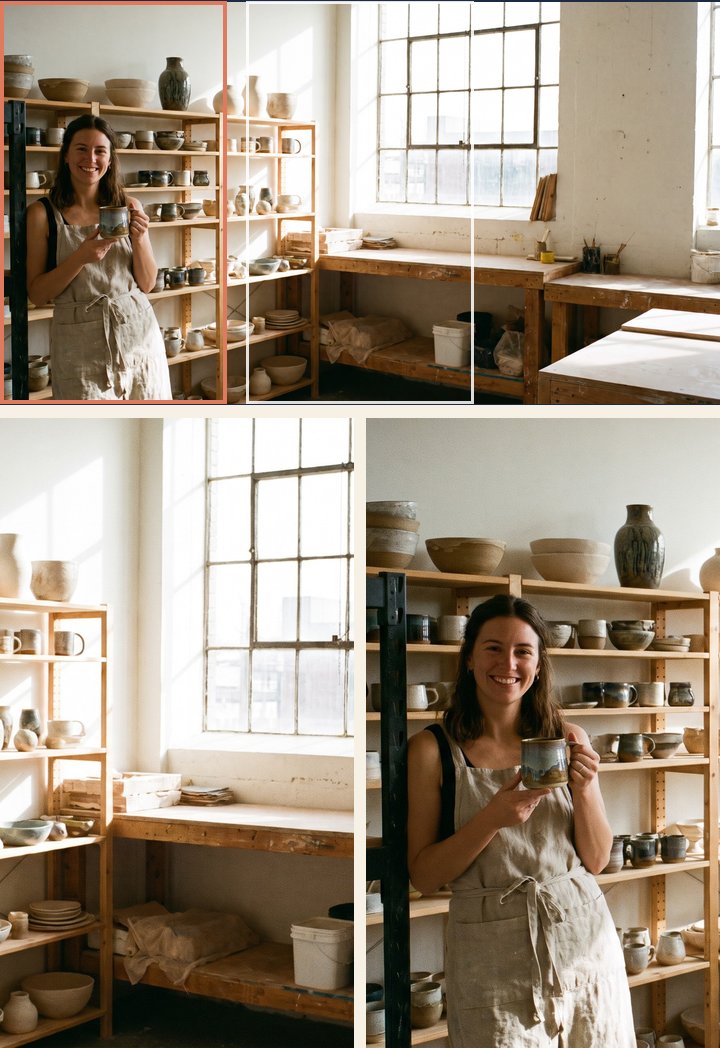 OriginalCenter croppostkitty
The center crop leaves an empty window at the edge. postkitty keeps the subject in frame.
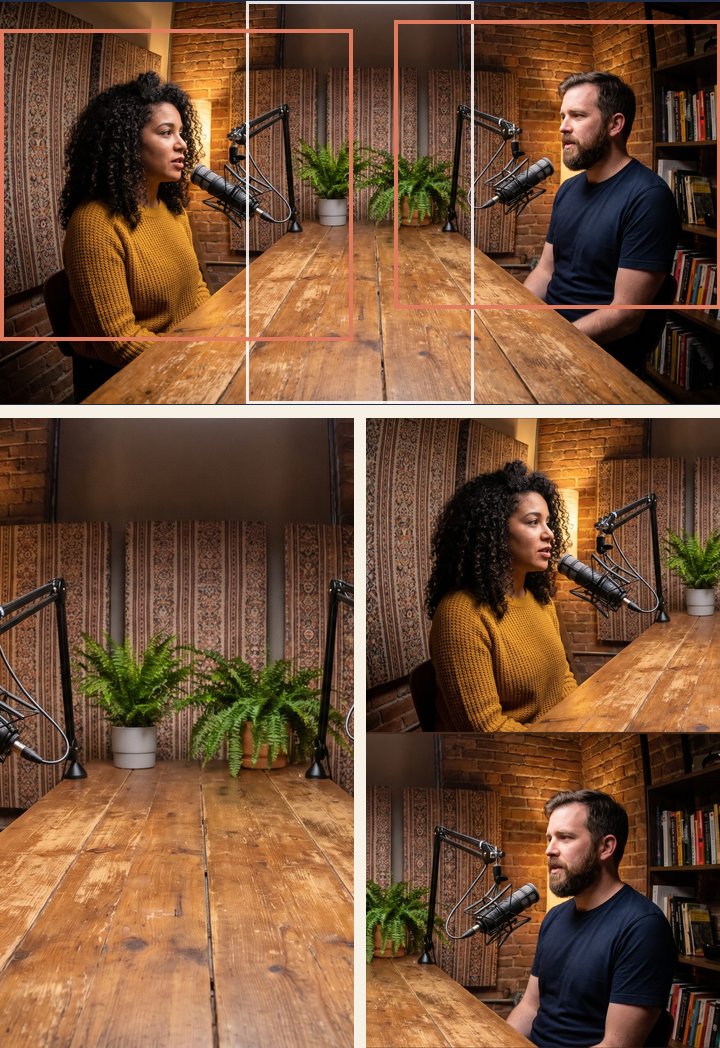 OriginalCenter croppostkitty
postkitty splits the screen so both stay visible.
 OriginalCenter croppostkitty
The center crop cuts faces off; postkitty keeps everyone.
These come from one real run on a podcast clip and a team photo. The people in them are AI-generated.
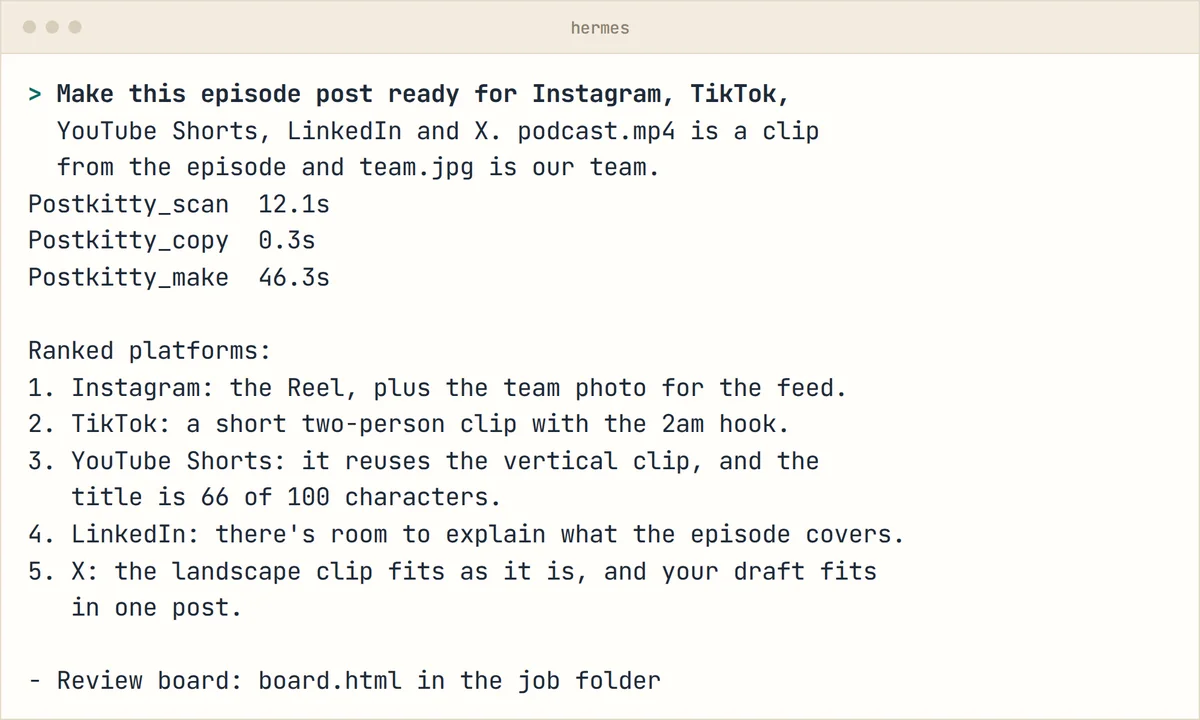
Name the platforms and your files and paste the draft. Hermes calls the postkitty tools and replies with the platforms ranked for your post.
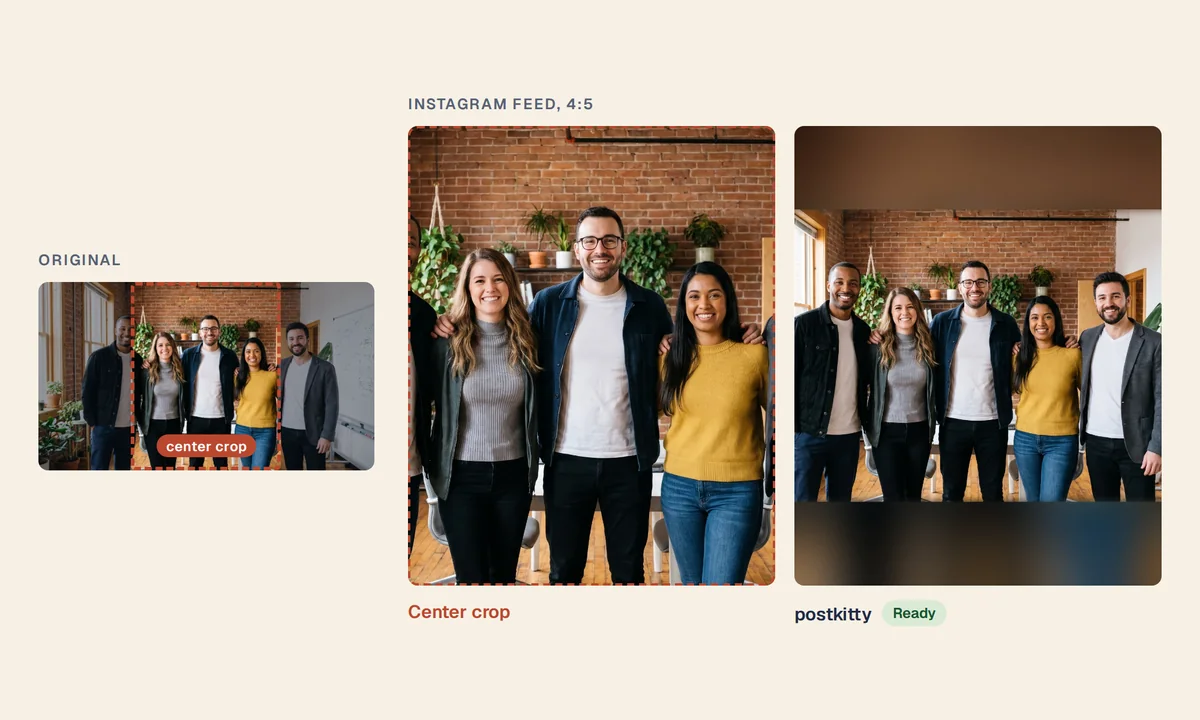
A center crop of this team photo cuts off the two people at the edges. The postkitty feed image keeps all five.
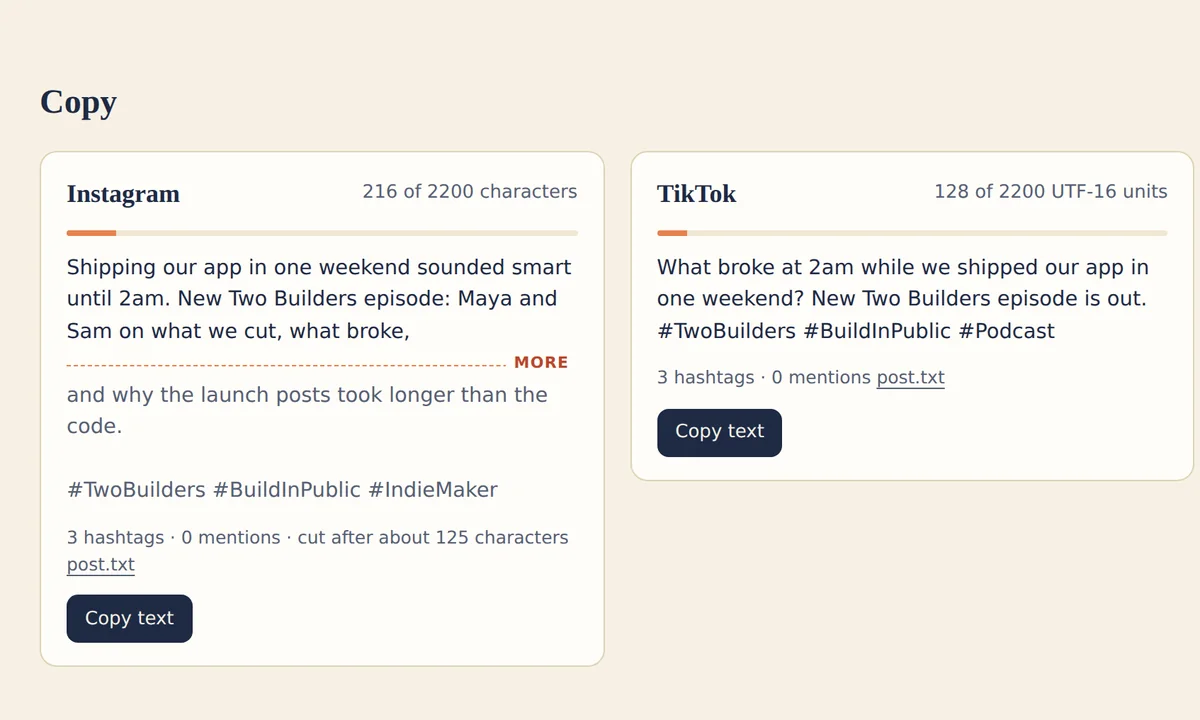
Each draft shows its count against the platform's limit and where the feed cuts it off, with a button to copy it.
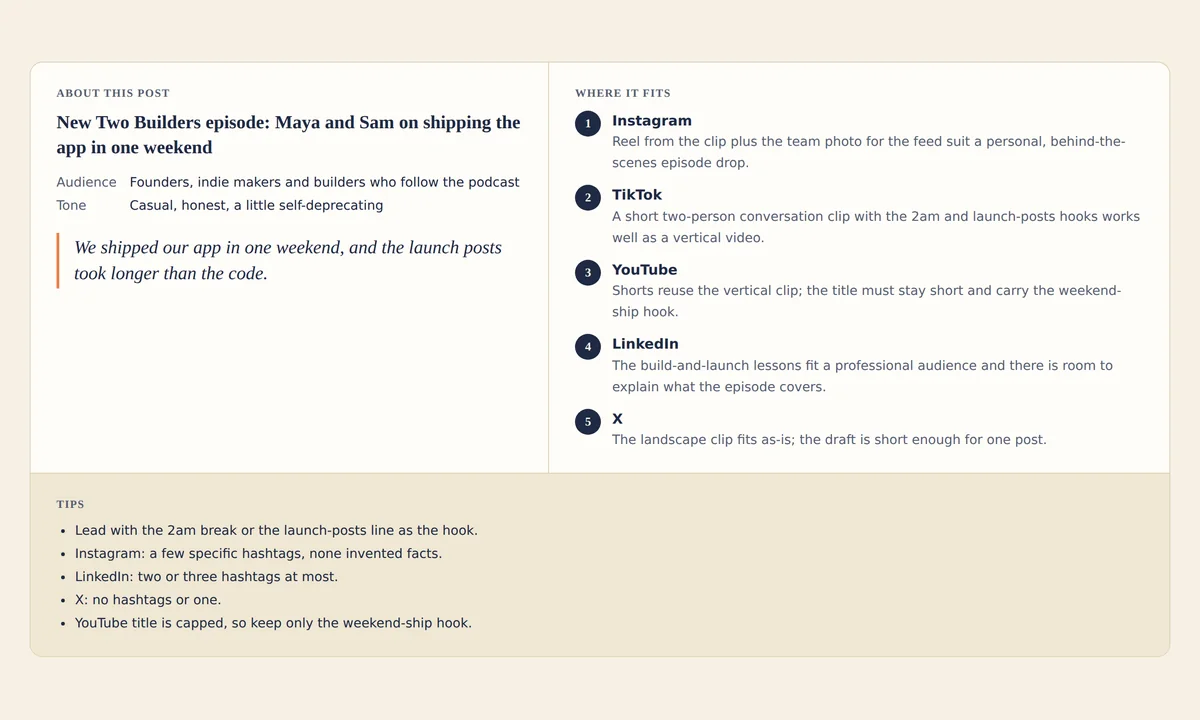
The review board opens with the audience and tone of your post, the platforms ranked for it, and tips.
You give Hermes a draft, photos or a landscape video. You get checked files for each platform, the copy, and advice for each audience.
Reads your text, photos and video and the platforms you want.
Fixes your draft and writes the copy for each platform, counted by its rules.
Crops, reframes and trims one file for each platform. Faces stay in frame.
Checks each file against the platform's published limits.
You see every file on a review board and approve it or ask for a redo.
Fixes spelling, grammar and clumsy sentences, then writes a version for each platform and counts it by that platform's rules. Long posts split into threads, and you get advice on where to post.
Crops keep every face. When people do not fit, it fills with blur or resizes around them. Metadata is removed.
Reframes landscape video to vertical and follows the faces. When two people talk, you choose: a split screen, a cut to whoever is speaking, or the whole wide shot. Trims to each platform's time limit.
Sizes and limits for each platform, with source links.
| Platform | Target | Size | Key limits | Source |
|---|---|---|---|---|
| Reel | 1080 × 1920 | max 900 s · max 1 GB · 23-60 fps | Platform docs | |
| Feed | 1080 × 1350 | Platform docs | ||
| Story | 1080 × 1920 | max 60 s | Platform docs | |
| TikTok | Video | 1080 × 1920 | max 600 s · max 4 GB · 23-60 fps | Platform docs |
| YouTube Shorts | Shorts | 1080 × 1920 | max 180 s | Platform docs |
| X | Video | 1920 × 1080 | max 140 s · max 537 MB | Platform docs |
| Image | 1600 × 900 | max 5 MB | Platform docs | |
| Video | 1080 × 1350 | max 900 s · max 5 GB · 10-60 fps | Platform docs | |
| Image | 1080 × 1080 | Platform docs | ||
| Threads | Video | 1080 × 1920 | max 300 s | Platform docs |
| Image | 1080 × 1350 | - | ||
| Bluesky | Video | 1080 × 1920 | max 600 s · max 300 MB | Platform docs |
| Image | 1080 × 1350 | max 2 MB | Platform docs | |
| Reel | 1080 × 1920 | - | ||
| Feed | 1080 × 1350 | - |
It runs on your machine and uploads nothing. It needs no API keys.
Hermes Agent and ffmpeg. postkitty has no API key of its own; the copy and advice come from the model Hermes already uses.
Yes. Ask Hermes in plain words, for example a more formal LinkedIn post, a thread on X or another person in frame. postkitty makes that text or file again and checks it.
One command in Hermes Agent.
hermes plugins install mertkayacs/postkitty --yes-deps --enableVideo needs ffmpeg and ffprobe on your PATH.
Install the postkitty plugin for me: run `hermes plugins install mertkayacs/postkitty --yes-deps --enable` in the terminal. When it finishes, tell me to open a new chat so its tools load.
Use postkitty to turn this into posts for X, LinkedIn and Instagram and fix my wording: [your draft, or the path to a photo or video]
Built for the Hermes Agent hackathon